
OptOSS AI v.10.2 - Release
OptOSS AI v10.2 is now available! The latest release brings new capabilities for network observability, device lifecycle management, discovery visibility, and operational resilience.
.png)
OPT/NET
September 1, 2026
.png)
We are excited to announce the new release of OptOSS AI ®. This release brings new features and multiple improvements across the product, focused on improving usability of the product.
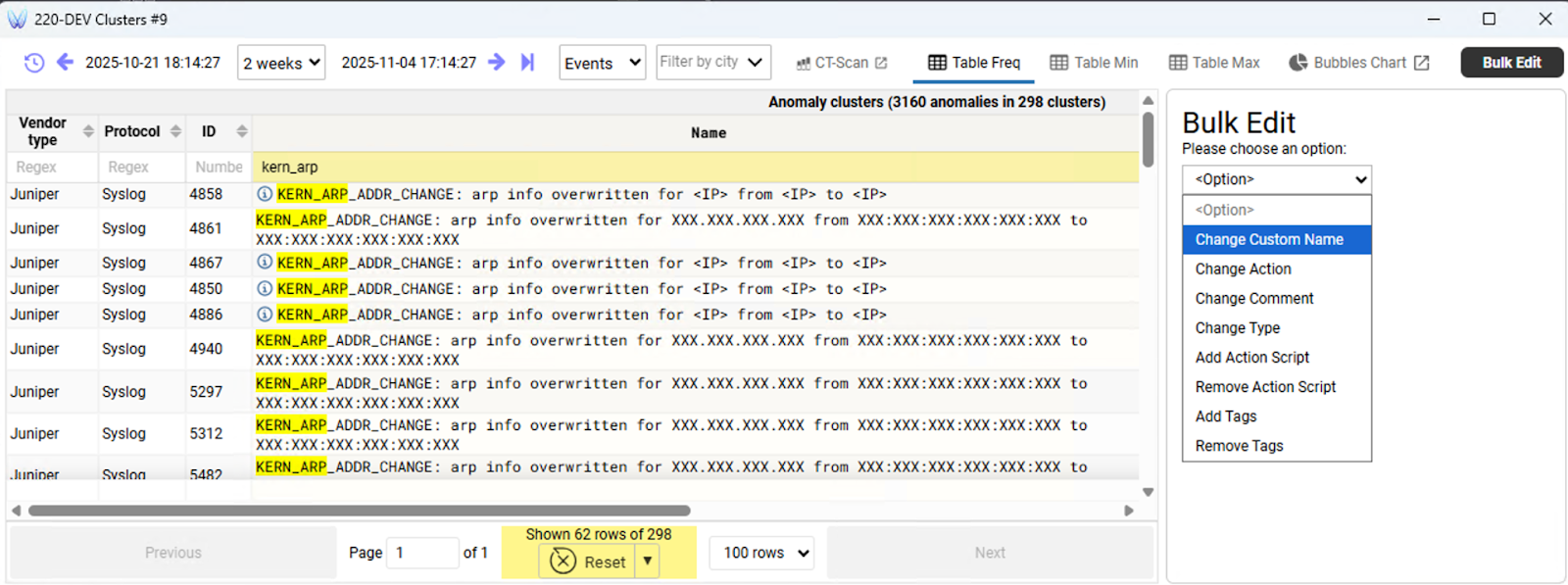
It is now possible to apply changes to several anomaly clusters at once. This is useful when multiple similar clusters require the same action to be applied, for example adding a classification or a tag.
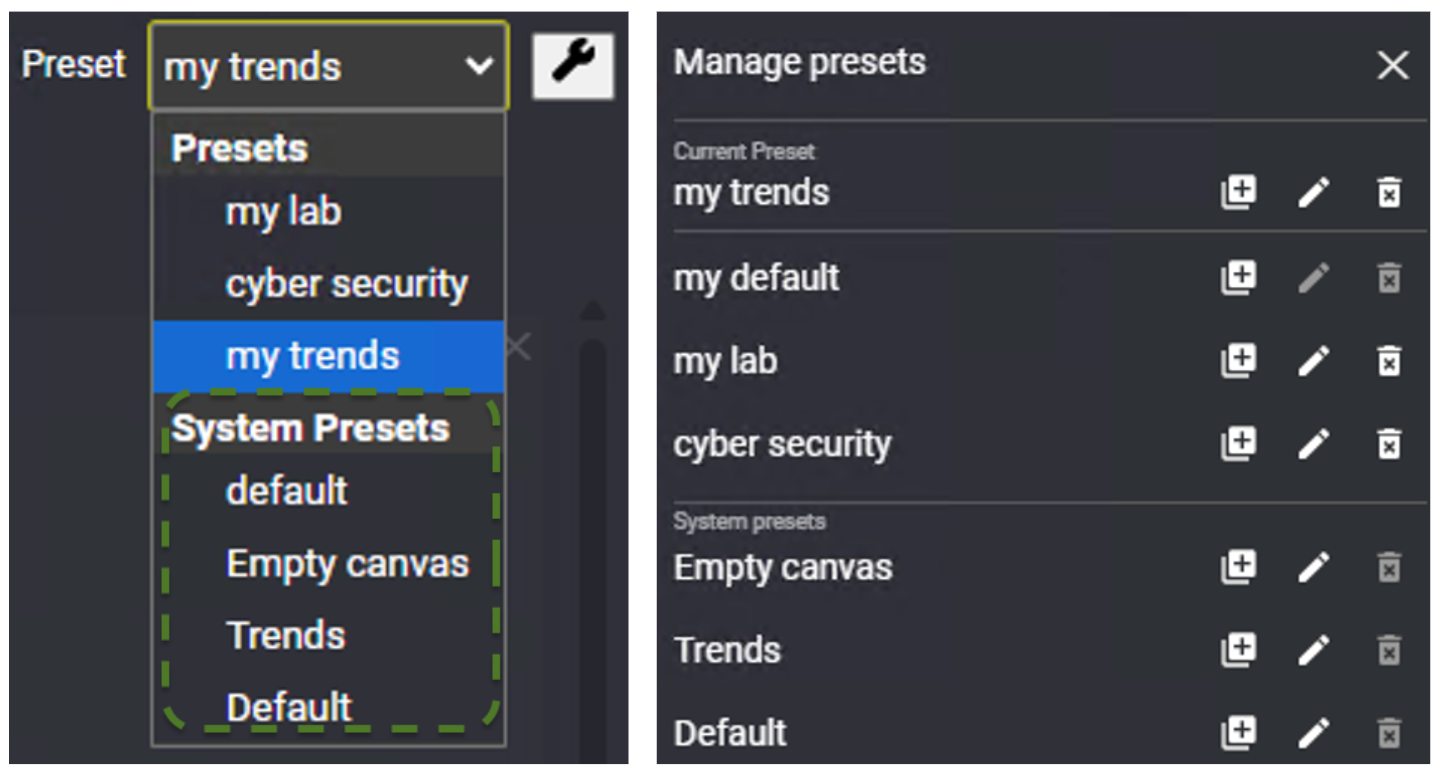
Users now have access to a library of preset dashboards. These can be custom tailored for the Operator’s own needs.
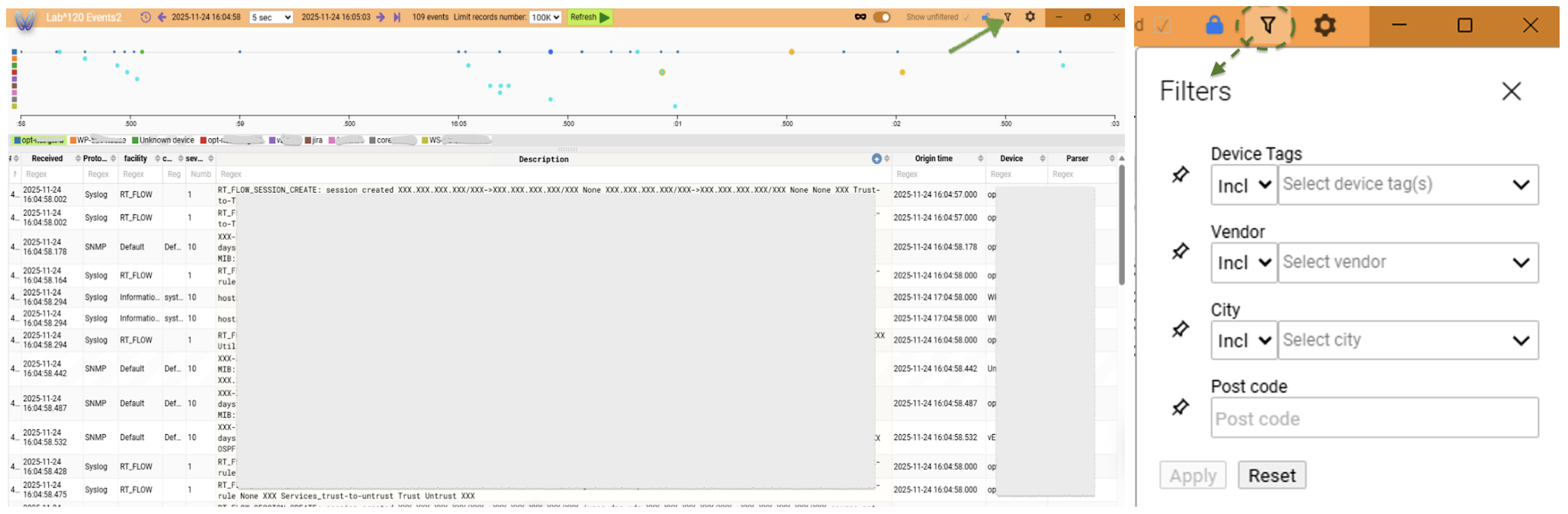
It is now possible to use more filters for Events view. Including tags, city or Post Code to include or exclude groups of devices in the Events view
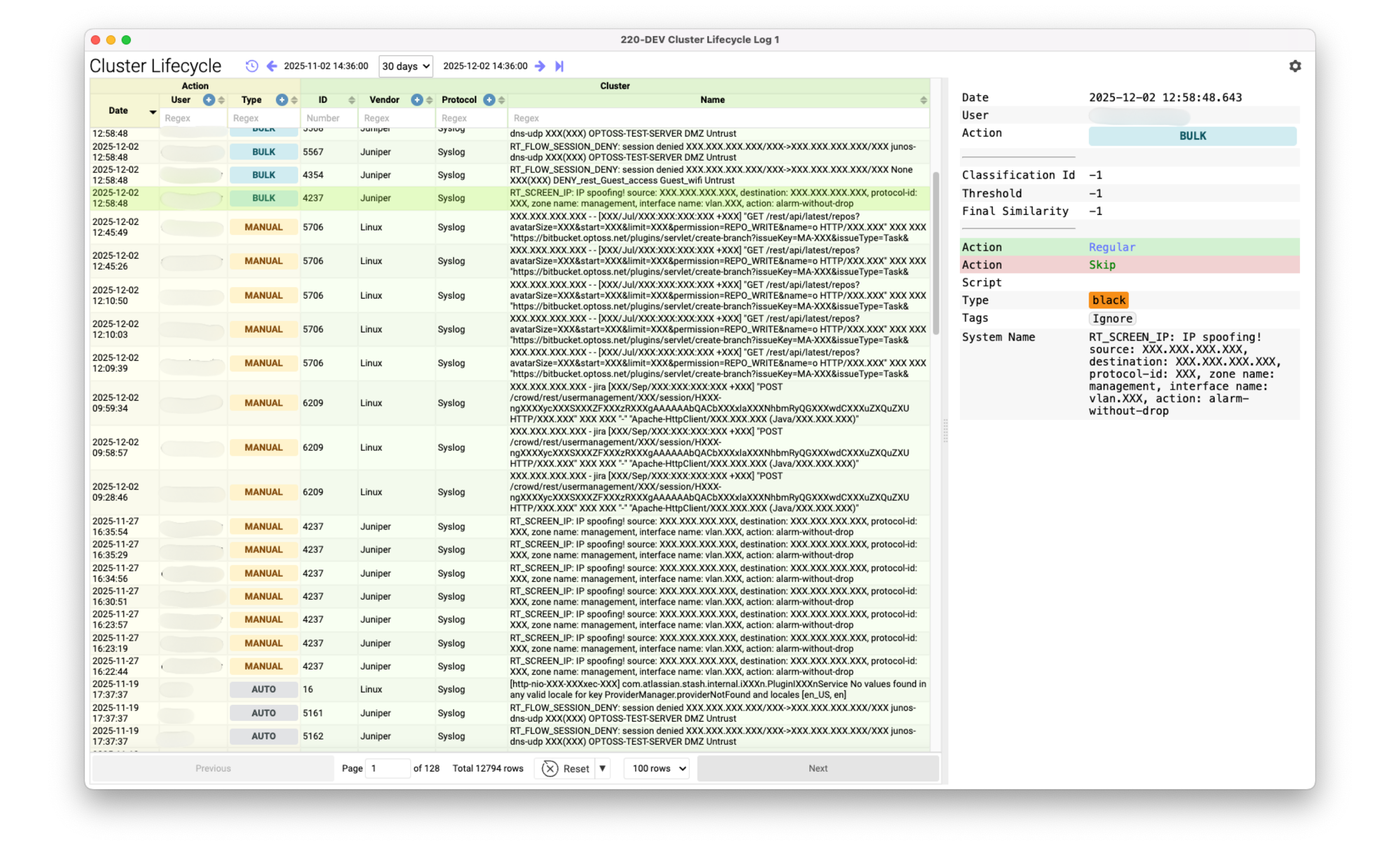
Cluster lifecycle log has been introduced. This helps control the lifecycle of a cluster's classification and attributes so Operators can see which and when cluster attributes have been changed.
Filters for Cluster Type and Cluster Action have been added. Additionally, the anomaly preview received cluster tags indication. The filter view can be customised now (show/hide).
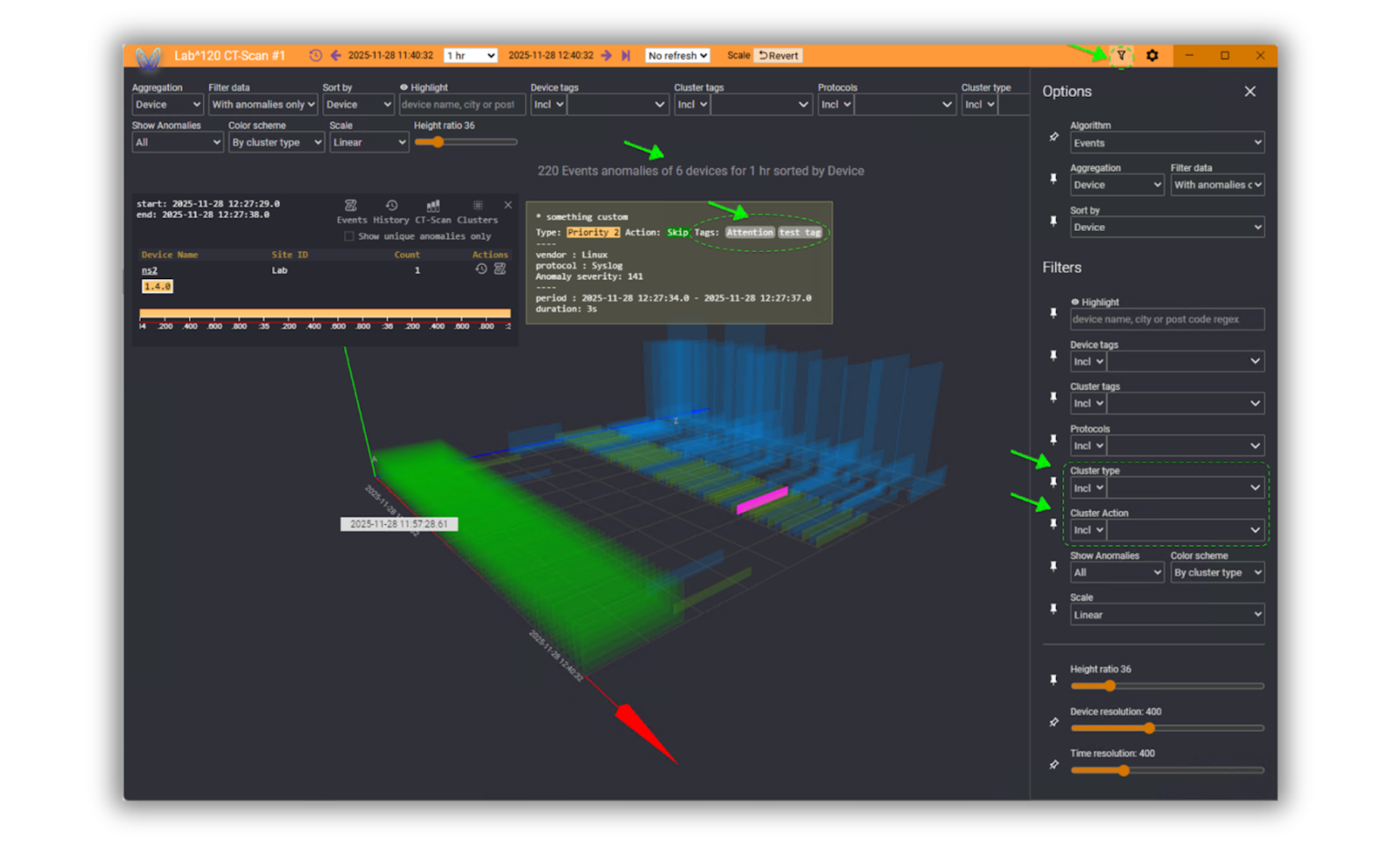
A description field has been added to Cluster types (classifications) and Cluster tags. Since OPTOSS AI is a collaborative platform, this improvement helps teams to align their cluster classification/tagging methodology.


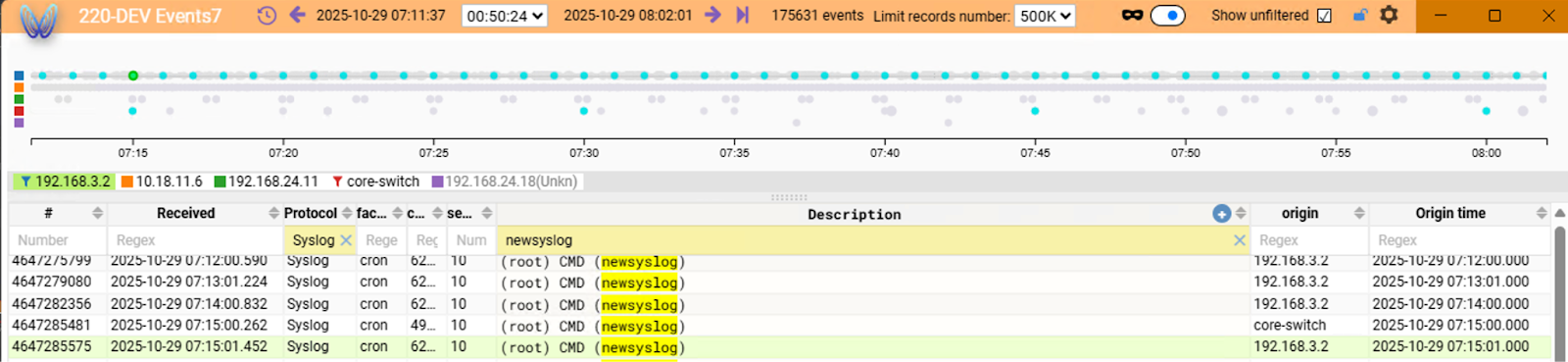
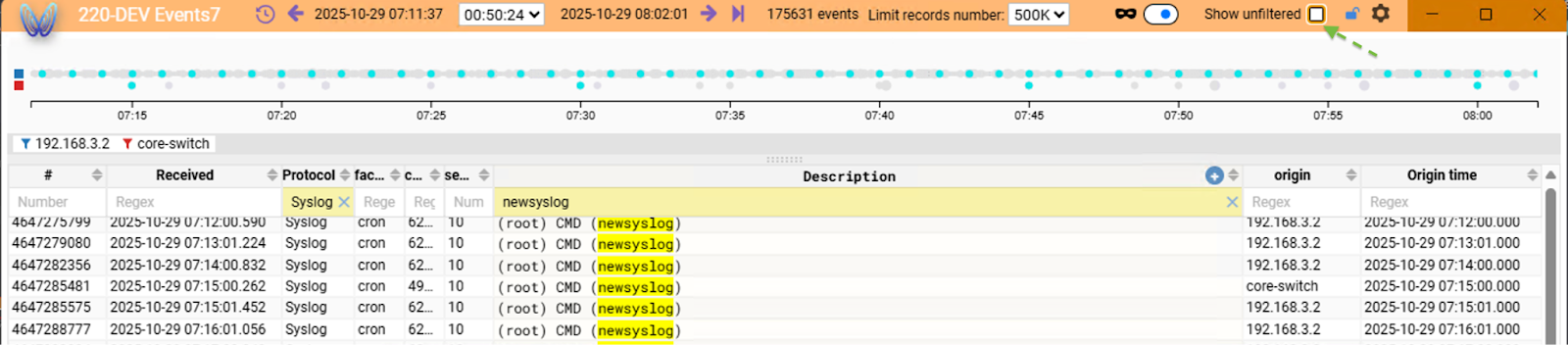
The 'show unfiltered' function enables the concealment of filtered data on both the chart and device list. When filtered descriptions are associated with multiple devices, this feature facilitates the removal from view of all devices that do not correspond to the applied filter.
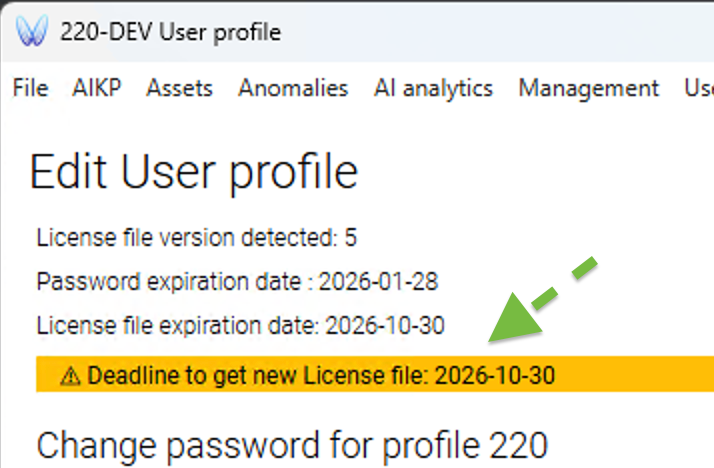
A warning regarding a keychain's expiration and its timeline has been added and is available in the user's profile. Due to the limited lifetime of issued keychains, users can now see clearly that they have to claim a new keychain from the system administrator.
Besides the aforementioned changes the system has received multiple corrections to make it more responsive and convenient for using.
Our team is proud to present this new release of OptOSS AI! To find out more, please, contact your Customer Success Manager, or fill in the contact form at Get demo to see the new features for yourself!
.png)


